KERMI


One sound, every speaker
Play your PC sound on two or more Bluetooth speakers at once, in stereo or mono, kept in sync automatically.
 Free for Windows
Windows plays sound on one device only. BTSplit plays your PC's sound on two or more Bluetooth speakers at the same time: true stereo with one speaker on the left and one on the right, or the same sound everywhere. It measures each speaker's delay with your microphone and lines them up, so you never hear an echo.

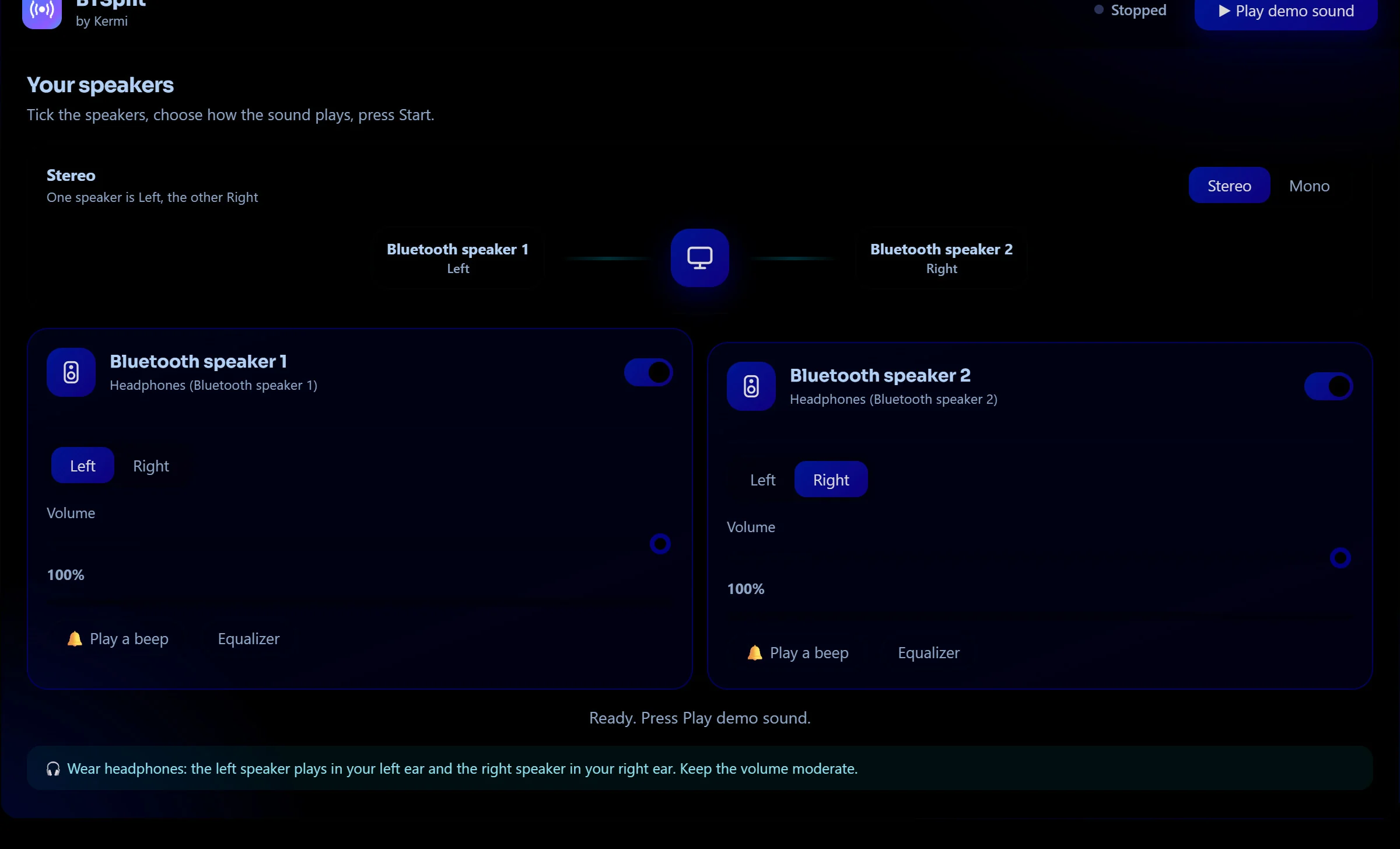
This is a working replica of BTSplit with real sound made right in your browser. Put on headphones, press Play demo sound, and your left ear becomes the left speaker and your right ear the right speaker. Switch between Stereo and Mono, shape each speaker with the equalizer, then open Sync: in Mono you will hear the echo that two Bluetooth speakers make, and Auto-sync removes it. Open Sound quality to see how the buffer grows by itself when the Bluetooth signal is weak.
Interactive demo: the delays are example values, the real app measures your own speakersPlay your PC sound on two or more Bluetooth speakers at once, in stereo or mono, kept in sync automatically.

Put a speaker at each end of the room and fill the whole space with the same music.
Pair your Bluetooth speakers in Windows as usual. BTSplit lists them by name. Tick the ones you want and choose Stereo (one is Left, one is Right) or Mono (all play the same sound).
Every Bluetooth speaker lags by a different amount, from 100 to 700 ms. Press Auto-sync: BTSplit plays a short sound from each speaker, listens with the microphone, measures the delay and aligns them. You can fine-tune by hand.
Play anything on your PC: music, a film, a game. BTSplit moves Windows' sound to a silent output behind the scenes and spreads it to your speakers. When you stop, your normal output comes back.
Stereo splits the sound: a speaker plays the left channel and another plays the right, like a real pair. Mono sends the same sound to every speaker, ideal for two rooms, a party or a garden. Swap Left and Right with one tap.
Measures each speaker's real delay, wired or Bluetooth, up to 2 seconds, repeats until the readings agree and tells you how reliable they are.
Add delay to the earlier speaker in 1 ms steps until the echo disappears. Your settings are remembered for each speaker.
Five bands from 80 Hz to 12 kHz with presets: Bass boost, Vocal, Treble, Loudness, Small speaker fix and Movie. A soft limiter keeps boosted sound clean.
Auto mode enlarges the buffer by itself when it hears a dropout. Or choose Lowest delay, Balanced or Maximum stability, and watch a live dropout counter.
Written in Rust. It captures Windows' sound with WASAPI, corrects clock drift between speakers and resamples per speaker. No drivers to install.
The microphone is used only for a few seconds to measure delay. Nothing is recorded or sent. The only contact with Kermi is the update check, with a random install ID.
A single small file. Starts instantly, English and Arabic interface, optional start with Windows.
When a new version is ready, BTSplit shows a message with a clear What's New section. Press Update now and it downloads, checks the file, installs and restarts by itself, or press Remind me later and it asks again tomorrow. After the restart you see What's New once more.
Windows normally plays sound on one device only. BTSplit captures the sound going to a silent output and plays it on all the speakers you tick, at the same time, in stereo or mono.
Each Bluetooth speaker delays the sound by a different amount, usually 100 to 700 ms, depending on its codec and buffer. The speaker that is faster plays the sound earlier, which you hear as an echo. BTSplit measures each delay and adds the difference to the faster speaker so they match.
BTSplit plays a short rising sound on each speaker one at a time, records it with the microphone and finds exactly when it arrives. It repeats until the readings agree, then adds the difference to the faster speakers. Only the differences matter, so the microphone's own delay cancels out. The microphone is used for a few seconds and nothing is saved or sent.
Yes. Choose Stereo, tick two speakers and set which one is Left and which is Right. Each plays only its own channel, like a real stereo pair. Swap them with one tap if they are the wrong way round.
Two or more. The limit is your Bluetooth adapter: several speakers on one adapter can stutter. A USB Bluetooth dongle for every two speakers fixes it, and the Maximum stability mode helps too.
Yes, it is free and needs no account.
Yes. Any output Windows can play sound to can be one of the speakers. Wired ones have almost no delay, so BTSplit adds delay to them to match the Bluetooth ones.
BTSplit lines the speakers up with each other. Bluetooth itself still adds delay compared with the picture, as with any Bluetooth speaker. For video choose the Lowest delay mode, and use your player's audio delay setting if needed.
While it runs, BTSplit switches Windows' output to a silent device (a monitor with no speakers is ideal) so the sound can be captured and spread to your speakers. When you press Stop or close the app, your normal output is restored, even after a crash.