KERMI

Contracts and invoices, in Arabic or English
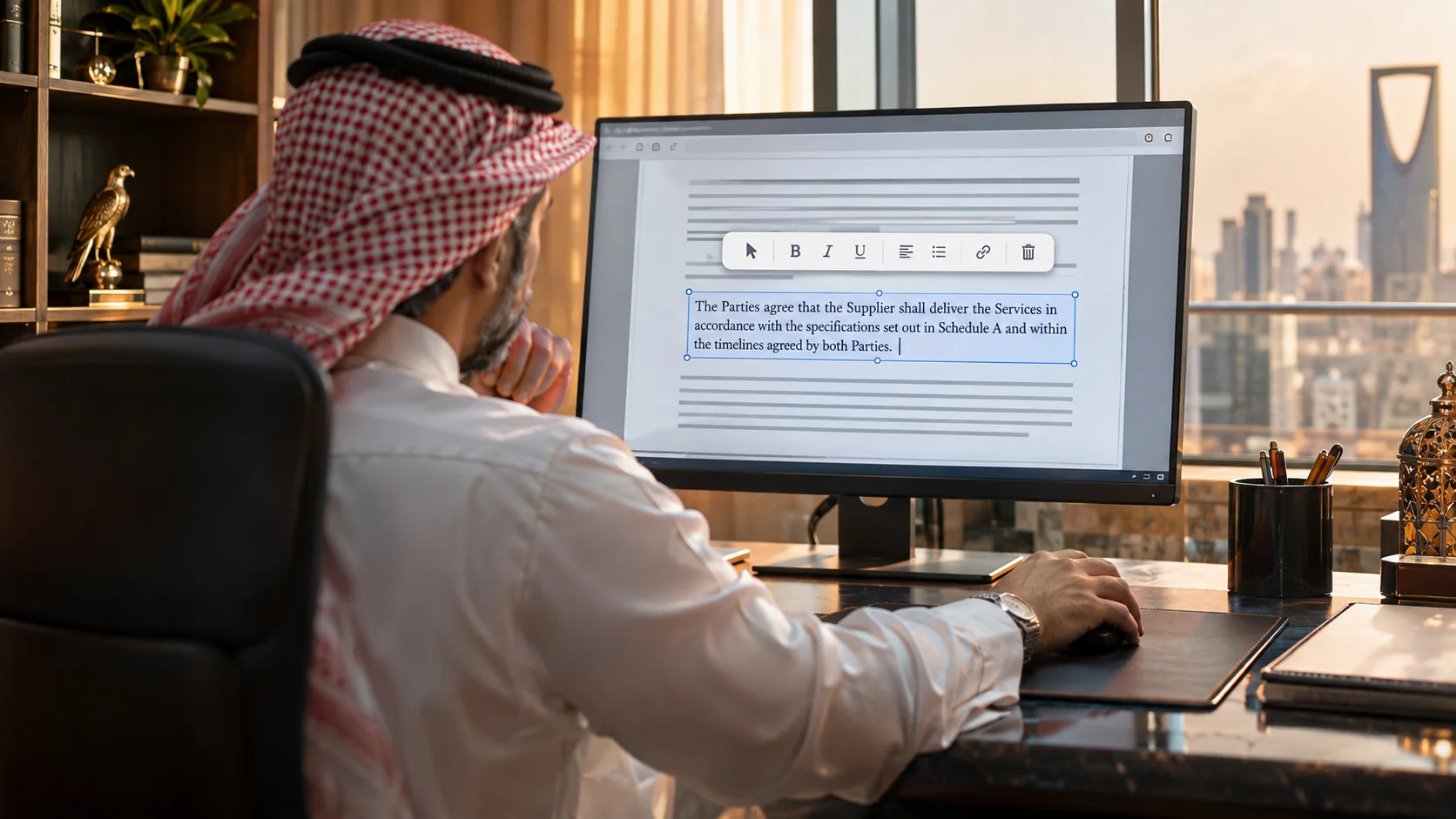
Change a line in the same font, size and colour, with Arabic letters joined correctly, so the edit looks like the rest of the page.
 Free for a limited time
Change a word, a price or a whole paragraph and the new text comes out in the same font, size, colour and alignment as the original. Arabic letters stay joined, tables are edited cell by cell, and you can move text, images and shapes like objects. Many files in tabs, page organizer, convert, sign and protect, all on your PC.

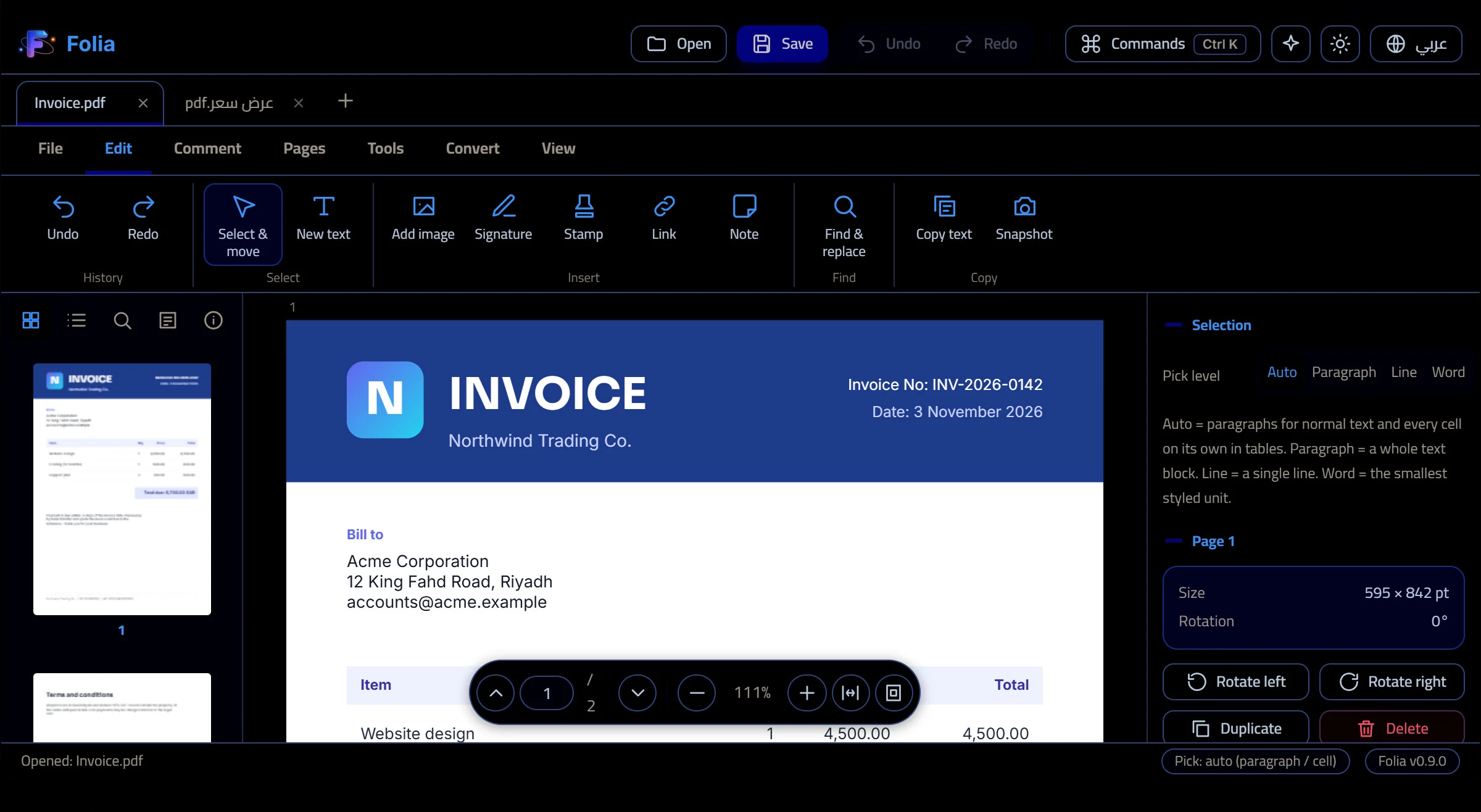
Pick an action below or just click inside the page. Edit the total on the invoice and watch the live before and after preview, open the Arabic quote to see joined letters and the bold-amount sliders, move the logo, undo, search, reorder pages, or see what an update message looks like.
Interactive demo on sample files. The real app edits your own PDFsChange a line in the same font, size and colour, with Arabic letters joined correctly, so the edit looks like the rest of the page.
Download Folia and use every feature at no cost while the offer lasts. No account, no card, no watermark. We will announce the end date here before anything changes.
When we ship a new version, Folia tells you, shows What is new, and updates itself in one click, or reminds you later. Unsaved work is never lost.
Drop one or many files. Each opens in its own tab with its own undo history, and Folia keeps an automatic copy of unsaved work.
A paragraph, a single table cell, a line, an image or a shape. Folia picks the right unit, so a table row does not move as one block.
The new text takes the original font, size, colour and alignment. A live before and after preview shows the result before you apply it.
Folia finds the real font of each piece of text, including embedded and subset fonts, and uses the closest installed match for new letters. Alignment (left, right, centre, justified), line spacing and wrapping are kept, and only the words you changed are touched.
Joined letters, correct direction in mixed Arabic and English lines, and a letter-thickness control for each script with an Auto button that copies the original.
Drag text, images and shapes, duplicate them, nudge with the arrow keys. Moved text keeps its exact letters, with no broken glyphs.
Select one cell instead of the whole row, or switch to paragraph, line or word level when you need it.
Work on several files at once. If the app closes by accident, your unsaved changes are offered back by file name. Closing asks to save all, discard or cancel.
A visual page organizer, merge, split, extract, rotate, crop, compress, bookmarks, find and replace, redaction and password protection.
PDF to Word, Excel, images, HTML, Markdown and text, and Word, images or text back to PDF.
Draw a signature once and reuse it, add stamps, notes, links, highlights, shapes and freehand ink.
Everything runs on your PC and your files are never uploaded. The only thing Folia sends is a random install ID, its version and language when it checks for updates. English and Arabic interface, light and dark themes.
Yes. It reads the font, size, colour and alignment of the text you click and writes the new text to match, using the embedded font when possible or the closest installed one. A preview shows before and after, and it tells you if the font had to change.
Yes. Arabic letters are joined, mixed Arabic and English lines keep the right order, and you can set the letter thickness for Arabic and English separately, or leave it on Auto to copy the original.
Yes. Click and drag text, images and shapes, duplicate or delete them, and use the arrow keys for small steps. In tables you can pick a single cell.
Folia checks for a new version every few hours. If there is one, it shows What is new with Update now and Remind me later. Update now downloads the installer, checks it, closes Folia and reopens it on the new version. You are asked about unsaved work first.
Yes, for a limited time every feature is free, with no account. We will announce the end of the offer on this page before anything changes.
No. Editing, conversion and signing all happen on your PC. Folia only sends a random install ID, its version and language when checking for updates.
The installer is not code-signed yet, so Windows SmartScreen may say the publisher is unknown. Choose More info, then Run anyway. The file is the one published on this site.
Free for a limited time. Download Folia and try it on your own files.
Download